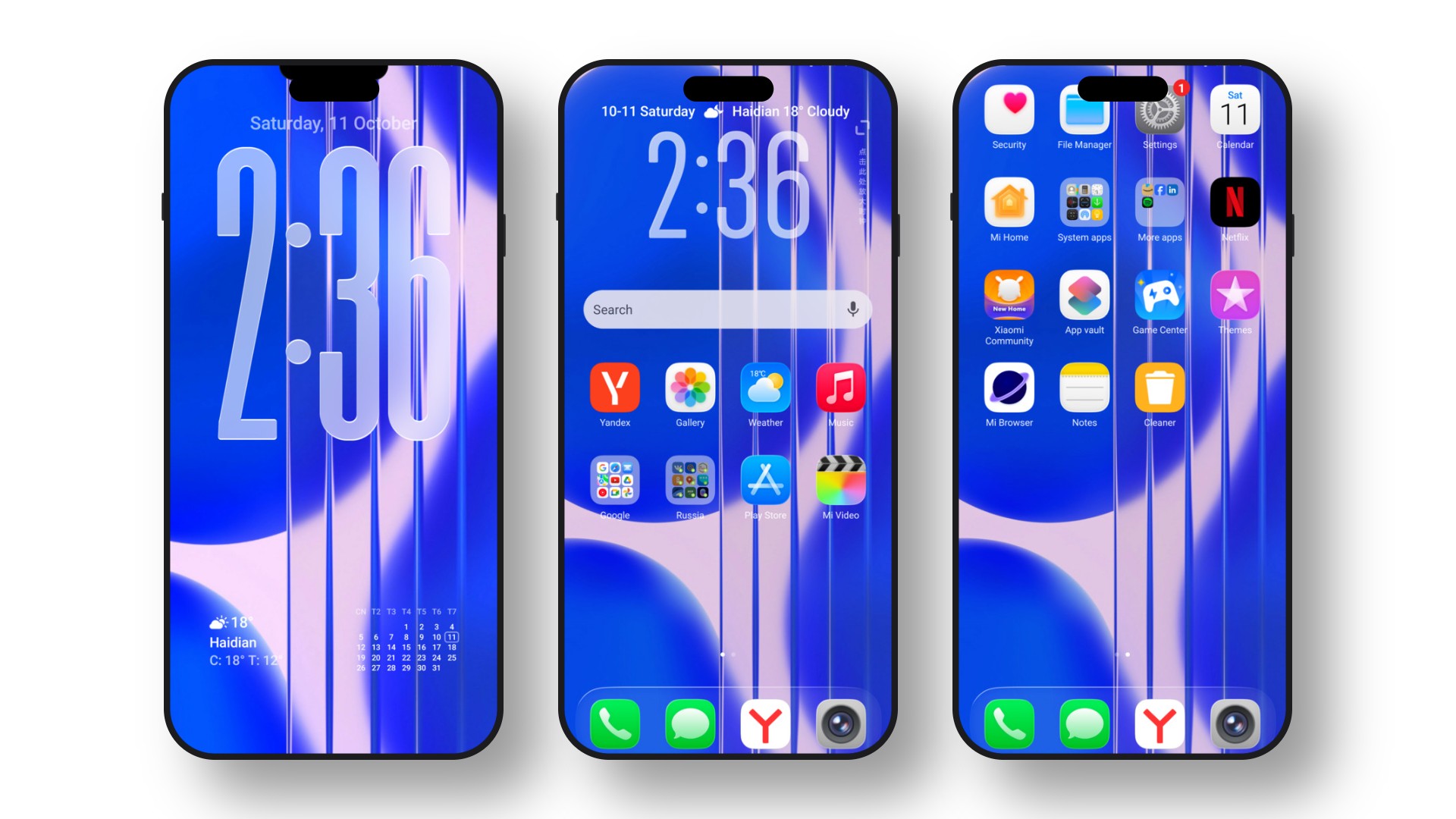
Overview of the Lemon bluery HyperOS Theme
Give your phone a fresh, new look with the Lemon bluery Xiaomi HyperOS Theme. This beautiful HyperOS Theme For Xiaomi Redmi Poco is designed to completely change how your phone feels. It is a high-quality MTZ Theme that is very easy to use and makes your phone look amazing. By applying this MTZ file, you get clean icons, a cool lock screen, and a much better-looking control center.
What makes the Lemon bluery HyperOS Theme special?
- Awesome Lock Screen: A fun, unique, and interactive lock screen that stands out.
- Clean Icons: Simple and fresh-looking icons for your system and favorite apps.
- Better Control Center: A smooth, neat, and easy-to-use quick settings menu.
- Cool System Looks: Looks great in dark mode and supports helpful home screen widgets.
Theme Previews
Download Information
| Theme Name | Lemon bluery |
|---|---|
| Designer | MISANS |
| Apply Theme | Theme Store MTZ File |

Installation Guide
A) Apply Lemon bluery HyperOS Theme Through Official Theme Store
(For Stock HyperOS or MIUI devices)
- Open this page in your browser.
- Tap the Theme Store link from the table above.
- The Xiaomi Themes App will open automatically.
- Press Download, then tap Apply.
- The Lemon bluery HyperOS Theme will apply instantly.
Note: This is the most stable and reliable installation method for official ROM users.
B) Apply Lemon bluery HyperOS Theme (MTZ) on Custom ROMs
- Download the MTZ file using the button above.
- Open the Xiaomi Themes app.
- Go to Profile → Import → Select the MTZ file.
- Tap Apply.
Pro Tip: Restart your device (optional, but improves theme stability and prevents third-party icons from breaking).
Frequently Asked Questions
How to install the Lemon bluery HyperOS Theme?
You can easily install the Lemon bluery theme by downloading the MTZ file or applying it directly from the official Xiaomi Theme Store link provided in the download section above.
Is the Lemon bluery theme compatible with MIUI?
Yes, while Lemon bluery is optimized for HyperOS, it is also fully compatible with most Xiaomi, Redmi, and Poco devices running MIUI 14 and MIUI 13.
Does Lemon bluery support Dark Mode?
Absolutely! The Lemon bluery theme features full dark mode support, providing a sleek, battery-friendly, and eye-soothing experience on your device.
How can I download the Lemon bluery theme from www.hyperosthemes.org?
You can easily download the Lemon bluery theme by scrolling up to the 'Download Information' table. Simply click on the direct 'Theme Store' or 'MTZ File' link provided by www.hyperosthemes.org for a secure and fast installation.
